e-Registration Fee Payment Odisha 2026: Online Guide
e-Registration Fee Payment Odisha 2026: Online Guide
Last updated
e-Registration Fee Payment Odisha 2026: Online Guide
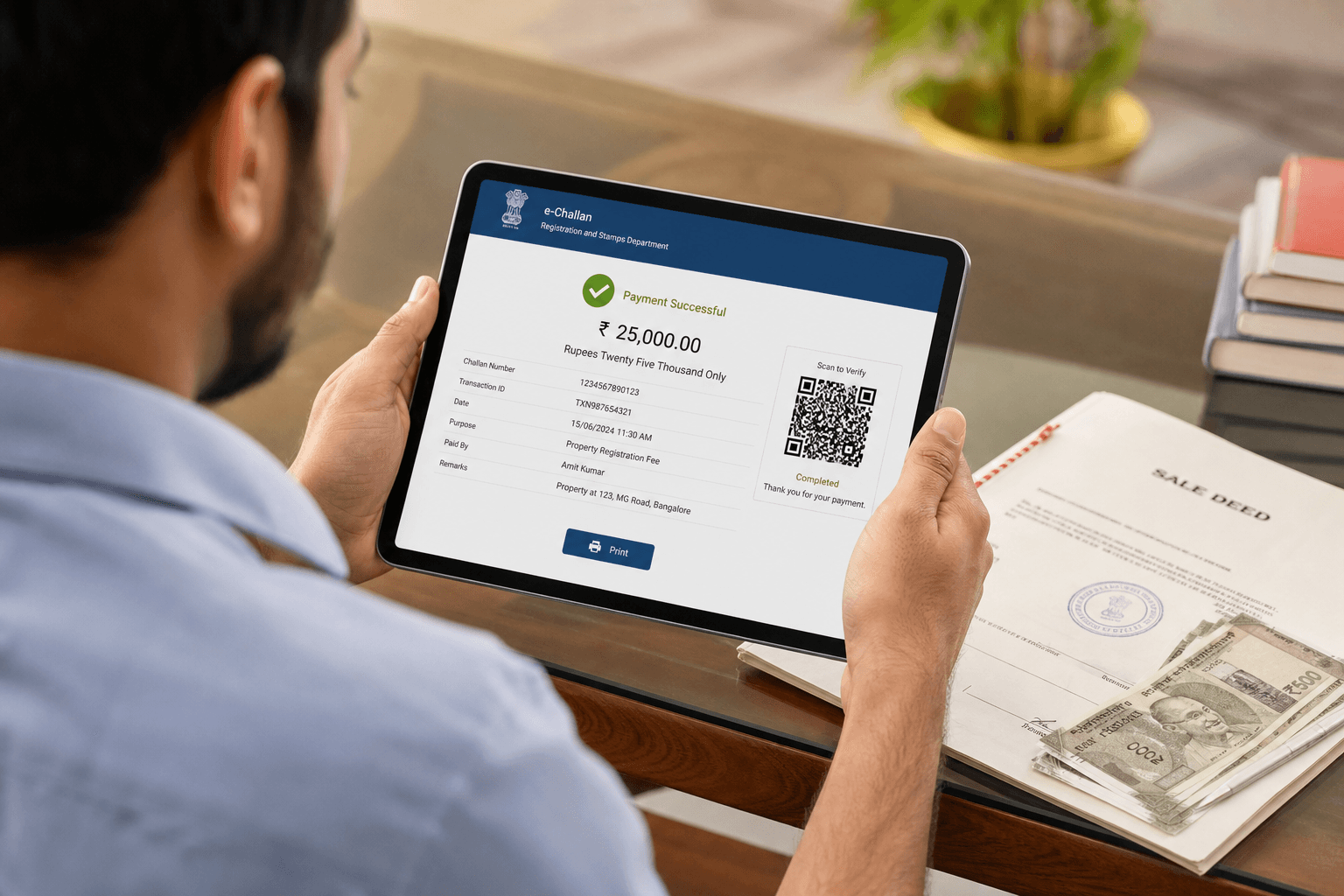
After paying stamp duty, every property deed registered in Odisha also attracts a registration fee payable to the state government. This fee is paid online through the Odisha Treasury Portal, accessed from the IGR Odisha portal at igrodisha.gov.in. A printed e-Challan generated after payment is submitted at the sub-registrar office. This 2026 guide covers the complete procedure for Khordha (Bhubaneswar), Cuttack, Puri, Ganjam, Balasore, Sambalpur, Sundargarh, Mayurbhanj, and all Odisha districts.
What is e-Registration Fee in Odisha?
The Government of Odisha, through a Gazette Notification dated 23.06.2016, made e-payment of registration fees and fines operational statewide through the Odisha Treasury Portal. This eliminated the need to make manual payments at bank counters before visiting the sub-registrar. The online facility covers registration fees for all registrable instruments under The Indian Registration Act, 1908.
Stamp Duty vs Registration Fee — Key Distinction
These are two separate mandatory payments for property registration in Odisha:
- Stamp Duty (typically 5% of market value): Paid through the SHCIL e-stamp portal at shcilestamp.com. Generates an e-Stamp certificate.
- Registration Fee (typically 2% of market value): Paid through the Odisha Treasury Portal linked from igrodisha.gov.in. Generates an e-Challan.
Both the e-Stamp certificate and the e-Challan must be ready before your document registration appointment at the sub-registrar office in Odisha.
How to Pay Registration Fee Online in Odisha — Step-by-Step 2026
Step 1 — Access the IGR Odisha Portal
Visit www.igrodisha.gov.in — the official portal of the Inspector General of Registration, Government of Odisha.
Step 2 — Click Online Payment of Registration Fees
On the IGR Odisha homepage, click Online Payment of Registration Fees. This will redirect you to the Odisha Treasury Portal at odishatreasury.gov.in (also accessible via ifmsodisha.gov.in).
Step 3 — Click e-Payment on the Treasury Portal
On the Odisha Treasury Portal homepage, click e-Payment to begin the fee payment process.
Step 4 — Select Chart of Account
Select the appropriate Chart of Account for registration fees. This maps your payment to the correct government revenue head. If unsure, consult your sub-registrar office or advocate for the correct selection.
Step 5 — Enter Transaction Details
Enter the required information including: deed type, parties involved, property details, and the registration fee amount applicable to your transaction.
Step 6 — Choose Payment Mode
Select your preferred payment mode:
- Online — Net Banking: Pay directly through your bank's internet banking portal.
- Online — Debit Card: Pay using a Visa, Mastercard, Maestro, or RuPay debit card.
- Offline — Over the Counter: Select a participating bank branch, generate a printed challan, and deposit the amount physically at the bank. Approximately 1,000 bank branches across Odisha accept Over the Counter deposits. The branch list is available on the e-Payment page of the treasury portal.
Step 7 — Complete Payment and Download e-Challan
- For online payment: Complete the transaction through Net Banking or Debit Card. Upon success, download and print the e-Challan as proof of registration fee payment.
- For Over the Counter: Generate and print the pre-generated challan. Visit the selected bank branch, make the deposit, and obtain the bank's acknowledgment stamp on the challan.
Step 8 — Present e-Challan at Sub-Registrar Office
On your registration appointment date, bring the printed e-Challan (online) or bank-stamped challan (Over the Counter) to the sub-registrar office along with the e-Stamp certificate, the deed document, and all other required identity and property documents.
Registration Fee Rates in Odisha — 2026
The registration fee in Odisha is generally 2% of the market value of the property for sale deed transactions. Additional e-Registration user charges apply:
- Base user charge: ₹250 for a 10-page document; ₹15 for each additional page.
- Per-page service charge: ₹10 per page for services rendered at the e-registration centre.
- Certified copy charge: ₹25 per page (maximum ₹200) for certified copies of registered documents.
- Duplicate / Counterpart document: ₹200.
- Miscellaneous document: ₹150.
Fee rates are subject to revision. The updated Table of Fees (last amended 05.01.2026) is available on igrodisha.gov.in. Always verify the applicable rate before calculating payable amounts.
Help Desk for Registration Fee Payment Issues
For any difficulty in online registration fee payment in Odisha, contact the IGR Odisha Help Desk on toll-free number 1800-345-6739. You can also contact your local sub-registrar office directly.
After Paying Registration Fee
Once you have both the e-Stamp certificate (from SHCIL) and the e-Challan (from the Odisha Treasury Portal), proceed to complete property deed registration at your sub-registrar office as directed by the IGR Odisha registration portal. After registration, initiate Dakhil Kharij (mutation) to update the land records on bhulekh.ori.nic.in.
bhulekh.ori.nic.in covers all 30 districts of Odisha, including Khordha (Bhubaneswar), Cuttack, Puri, Ganjam, Balasore, Sambalpur, Sundargarh, and Mayurbhanj. Select your District, then Tahasil, then Village to begin your search.
Find Property in Odisha on Baiyabasa
Search verified land and property listings in Odisha: Bhubaneswar · Cuttack · Puri
Related Odisha Land Record Guides
Frequently Asked Questions
Quick answers to common questions about this topic.
e-Registration Fee is the online payment of the government registration fee payable when registering a document (such as a sale deed, gift deed, or mortgage deed) at a sub-registrar office in Odisha. The fee is paid through the Odisha Treasury Portal (odishatreasury.gov.in) linked from the IGR Odisha portal (igrodisha.gov.in), and an e-Challan is generated as proof.
Showing questions 1–5 of 12
Find your next home on Baiyabasa
Browse verified listings, connect with trusted agents, and get expert guidance across Odisha.



Comments
Loading reviews...